How to Use ChatGPT as a PM or Product Leader in 2024The latest meta for using ChatGPT as the service has evolved and grown since its release nearly a year ago
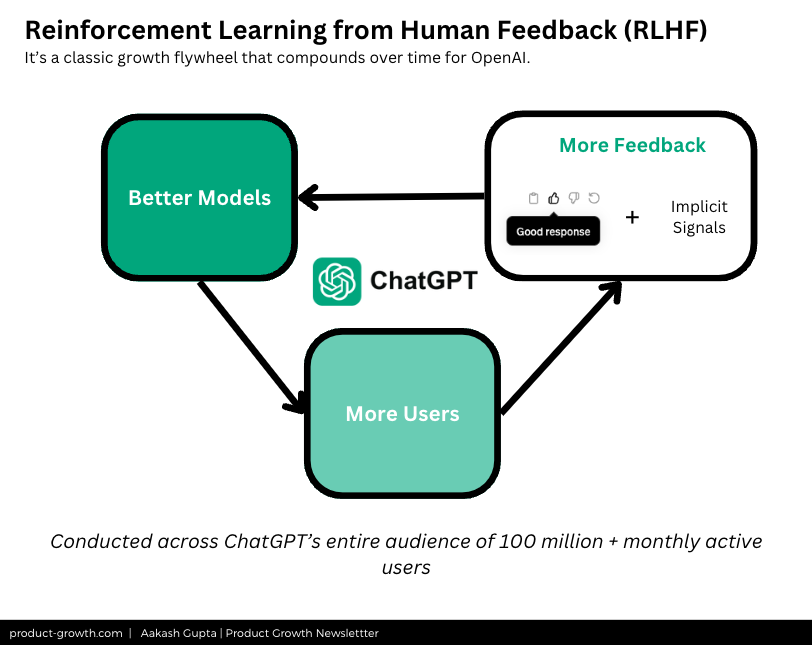
AI won’t replace PMs. PMs who use AI will replace PMs who don’t. This post might save you more than any other I’ve sent to your inbox. It’s hard to overstate how important of an innovation ChatGPT is. Released just 1.5 years ago - November 2022 - it can feel like it’s been around forever. But, really, social media got over-inundated with posts about it last year. We all ended up with a bit of nausea just seeing, “10 prompts for ChatGPT.” The cringe social media posts didn’t mean the product got worse, though. ChatGPT Keeps Getting BetterIf anything - the Human Reinforcement Learning is driving ChatGPT to get better and better.
I recently met with a VP of Product who said that he was “stunned” at how much better GPT-4 is than it is now compared to 10 months ago at its release date. Not only does ChatGPT keep getting better, it’s going to keep getting better:
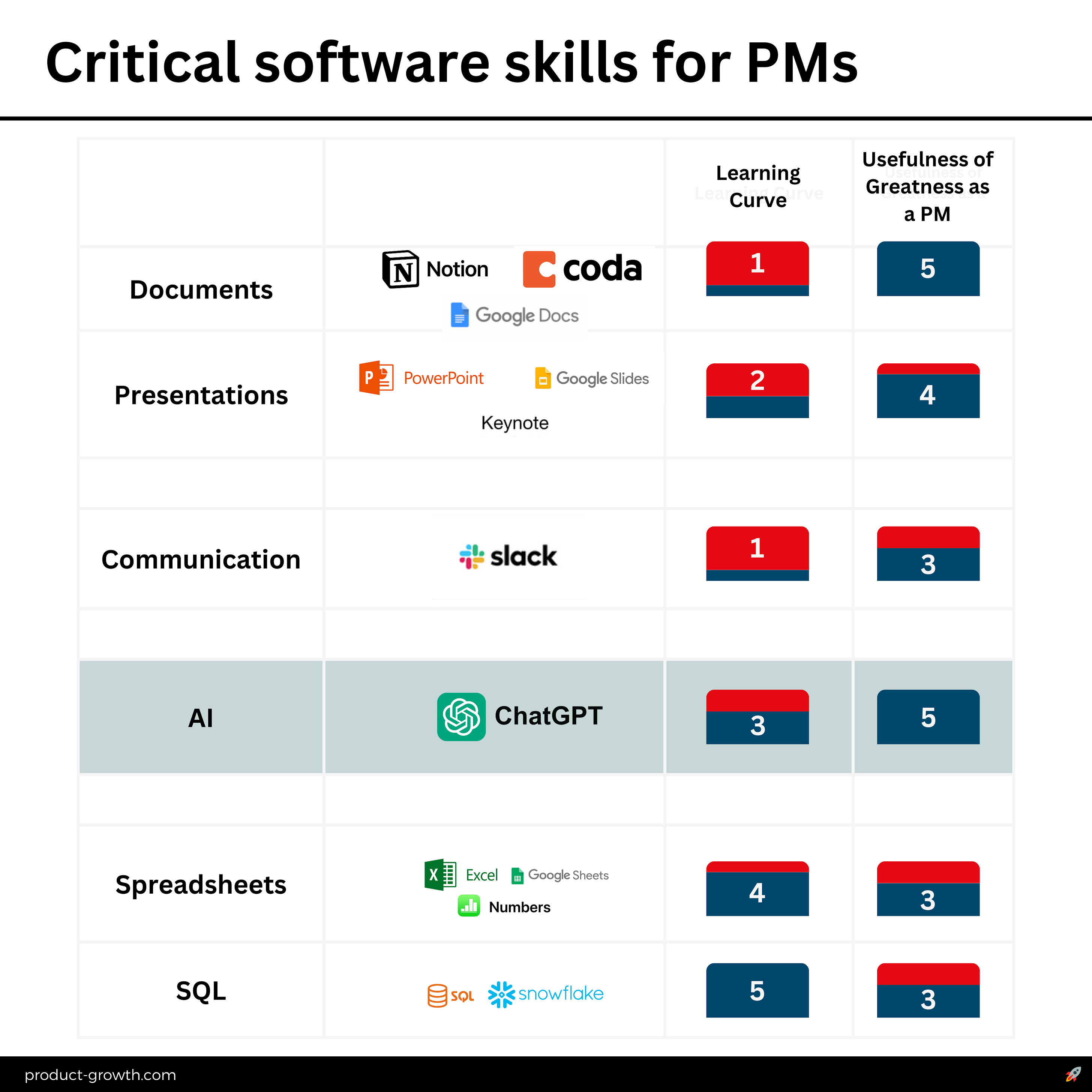
 This makes ChatGPT a key PM skillAll these upcoming developments mean learning how to use ChatGPT well is like learning how to use Excel or SQL before everyone had to. It’s a huge career advantage. And unlike things like Excel or SQL, which have a huge learning curve, it has a medium learning curve - but very high usefulness for PMs:
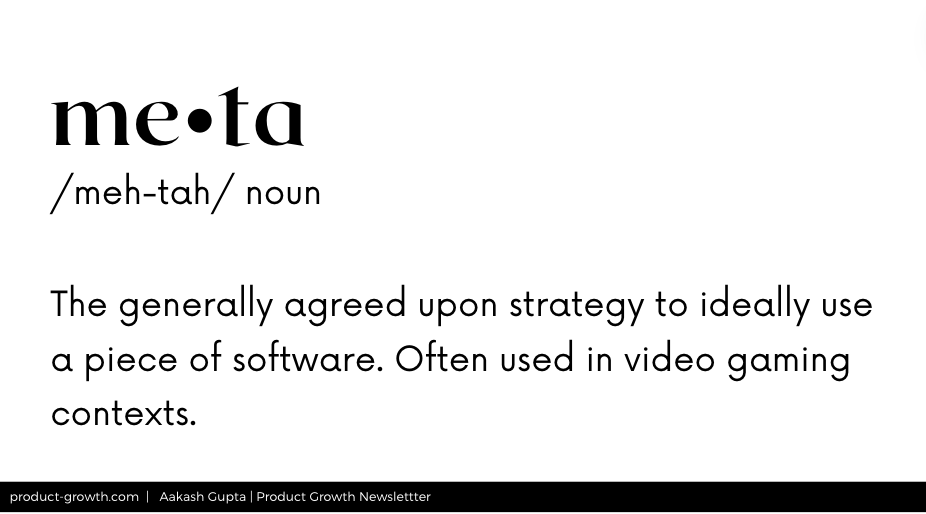
The reason ChatGPT gets a 5 rating above SQL and spreadsheets? It can help you do wizardry in your spreadsheets and SQL. But the meta keeps changingIn video games like Fortnite, players talk about the “meta.” It’s the ideal way to use functionality that’s widely available to everyone in the game.
The meta for ChatGPT keeps changing. OpenAI has an incredible velocity of shipping. So if you’ve been using it the same way as 10 months ago, you may have missed some significant changes. Introducing CarlCarl is a Senior PM at GoodRX. All the way back in May of last year, I collaborated with Carl on an Advanced Guide to Impact Sizing. You all loved the piece!
So, we’re back with another post. We concocted the idea a few weeks back, and having been investigating the meta ever since. You can find Carl on X, LinkedIn, or in his newsletter. Today’s PostWords: 8,671 | Est. Reading Time: 40 minutes
The New MetaThere’s almost been innumerable changes in the last 10 months. On top of the neural networks responding to the user feedback, the team at OpenAI ships incredibly fast. The key changes - for users of ChatGPT Plus - that have happened with the product experience in the last 10 months are:
What it means for youThis has lots of implications for how you can use it. We’ll cover them in glorious detail throughout this piece. But a key one to highlight is:
There has been a bit of a Yo-Yo with ChatGPT. As the GPT-3 meta developed, mega-prompts became clearly meta. But, as GPT-4 was released, the model was not reliable for long prompts. This led to the proliferation of short prompts. That advice is old now. And mega-prompts are back. The Top 10 Use CasesThere’s unlimited ways PMs can use ChatGPT - and we’ll cover more at the end. But these are the top 10 that should make you more productive today:
Let’s go through each in depth. Use Case 1 - Drafting a PRDUnder the old model of prompting, you might just ask ChatGPT to write a PRD. But now, it really helps to get things ready for it. The PromptThis mega-prompt below is your template:
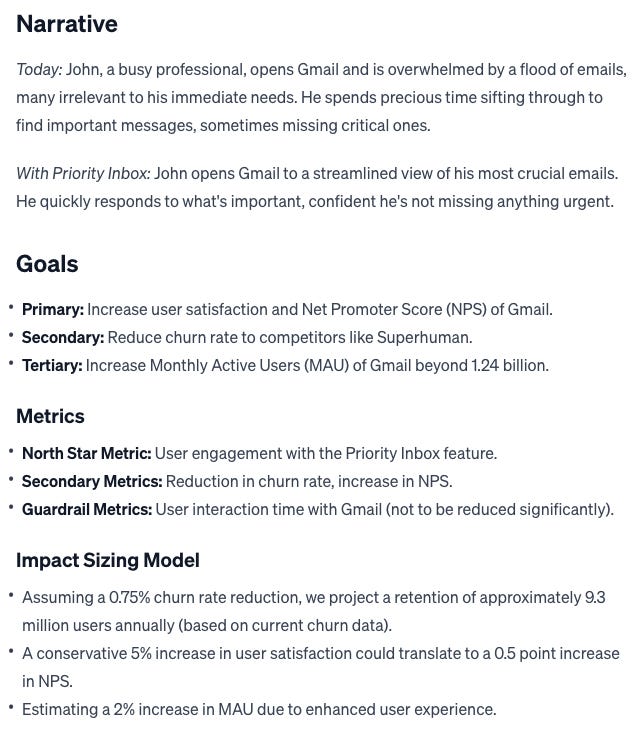
This template, adapted from our deep dive on PRDs and inspired by Kevin Yien, will get you a great output. It works better if you can also add some chicken scratch to each section and iterate with Chat GPT. Specific ExampleYou can see the actual chat conversation here. In this example, we’re working at Gmail, and we’re working on a Superhuman-like messaging framework that only shows them e-mails to respond to soon. At the end of the PRD known information section, I’ve added details to the prompt of what we know so far.
The result is a pretty good PRD first draft. It takes your chicken scratch and gives you a first version to iterate upon. In particular, what’s valuable is it does quite a bit of work to get the barebones of a document going.
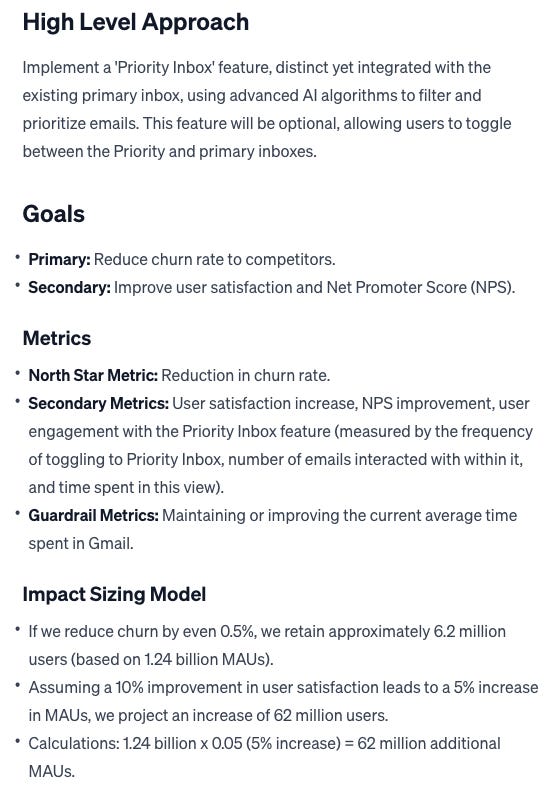
Of course, the mistake would be to share this with the team. When looking at it, we immediately as PMs will several improvement areas. You have two options at this point: iterate on those with ChatGPT in conversation, or just replace them yourself. To give ChatGPT feedback, a numbered list works best. For example:
This leads to a nice improvement over the prior PRD:
Both patterns work. But probably the ideal PRD workflow has become:
Once you see what ChatGPT has done, you’re not working from the blank page of your PRD template. You have something to react to and improve. PRDs are one of the primary work products of PMs. Making them awesome is more important than doing them. ChatGPT can help the time to awesome. This post was too long for e-mail. You may want to head over to your browser: Use Case 2 - Write a SQL QueryIn the ideal scenario, we’d have access to all the data we need - and our friends in the analytics department can help with the rest. But in the reality of the PM day-to-day, there’s lots of data questions that come up, that you would benefit from being able to query yourself. A strong mastery over a tool like Snowflake can be a PM superpower. It certainly was for me at Epic Games, where I was able to bring data to every conversation and knew how to write SQL queries that would yield results in 1 minute - not 1 hour. But that took me 1000s of hours over years to achieve. Now, PMs can do that just with ChatGPT. The Prompt
You basically want to a result that has:
So this mega-prompt gives you an easy copy-paste. Note: You do want to include information about your tables, in addition to your query goals, to get the best response. If you aren’t familiar enough with the data tables, you can also put:
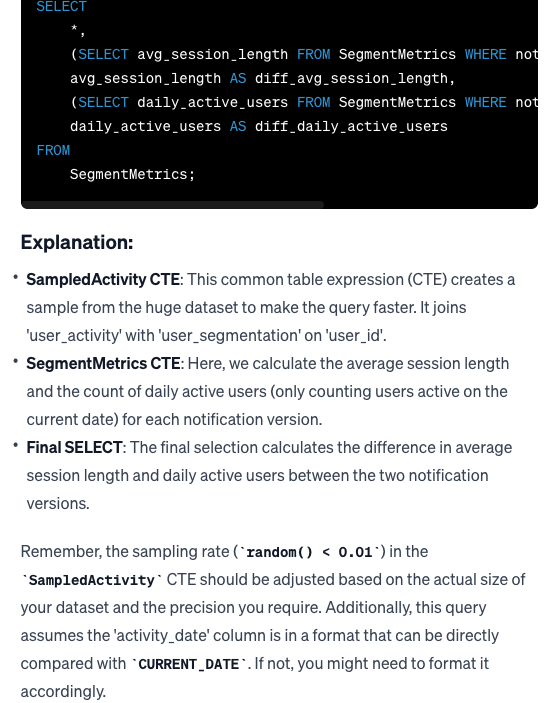
ExampleYou can see the actual chat conversation here. Let’s say you’re a growth PM at Facebook. Your team just rolled out an A/B test on a revamped notification system aimed at increasing DAU. You want to check-in on the results. Here’s the type of information you’d want to add to the query.
The result is a nice query that uses CTEs and has all the explanation you could need to use them yourself. What’s especially helpful is the guidance at the end on sampling and dates:
That’s what ChatGPT is the king of SQL advice. I spoke with a Senior PM who says he uses ChatGPT 2-3x per week for SQL. That sounds about right. You can also continue with ChatGPT to iterate on what further questions you have, or error messages you run into. The numbered pattern we mentioned earlier works well for this:
The result is a query that will run fast and segments the data a bunch of ways. Those types of case when statements are a bear to write on your own. Even I usually end up running into an error or two while writing them, after decades of SQL. But with ChatGPT, they’re easy. And the best part: From there, you can just keep iterating for what you want. Using ChatGPT for SQL dramatically increases the volume of insights you can have, because it decreases the time to insight. Use Case 3 - Create Your PrototypeOne of the most “wow” things to do is go from napkin sketch to working prototype for user testing in 2 minutes. And ChatGPT can do that for you with this mega-prompt:... Keep reading with a 7-day free trialSubscribe to Product Growth to keep reading this post and get 7 days of free access to the full post archives. A subscription gets you:
|






This week’s system design refresher: Top 9 Most Popular API Protocols (Youtube video) What is a deadlock? What’s the difference between Session-based authentication and JWTs? Top 6 ElasticSearch Use Cases Top 9 Cases Behind 100% CPU Usage SPONSOR US ͏ ͏ ͏ ͏ ͏ ͏ ͏ ͏ ͏ ͏ ͏ ͏ ͏ ͏ ͏ ͏ ͏ ͏ ͏ ͏ ͏ ͏ ͏ ͏ ͏ ͏ ͏ ͏ ...
Comments
Post a Comment